Dhaval Solanki.
Back to Case Studies
Ecommerce UX Case Study

Running Room
Ecommerce Redesign

Modernizing a legacy ecommerce experience with a mobile-first UX strategy focused on product discovery, usability, and conversion optimization.

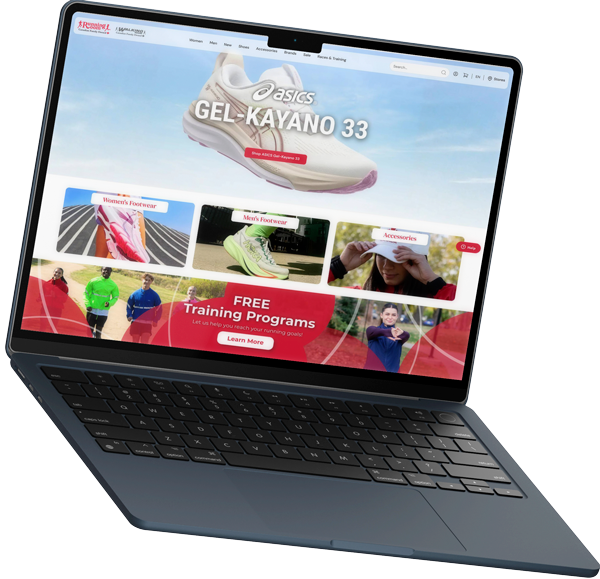
Running Room Desktop Storefront Redesign
Running Room Mobile Storefront Redesign
Role
Senior UI Developer & UX Lead
Timeline
Sep 2023 – Present
Scope
Full Storefront Redesign
Focus
UX + Conversion Strategy
The Challenge

What I Solved

Identified and resolved critical design bottlenecks in the legacy storefront to create a fast, intuitive e-commerce experience.

Outdated Experience

Rigid templates and legacy UI styling patterns slowed down customer interaction flows.

Weak Mobile Flow

Clunky navigation and hard-to-interact filter options caused higher mobile cart dropoffs.

Low Engagement

Flat product presentation lacked visually dynamic elements to retain visitors.

Complex Discovery

Rigid catalogs and multi-step filter paths delayed users from locating target products.

Old UI Patterns

Outdated typography hierarchies and spacing guides did not align with modern storefront expectations.

Visual Paradigm

Old vs New UX Strategy

A side-by-side breakdown of the layout transformation from legacy styling components to high-conversion modern storefront cards.

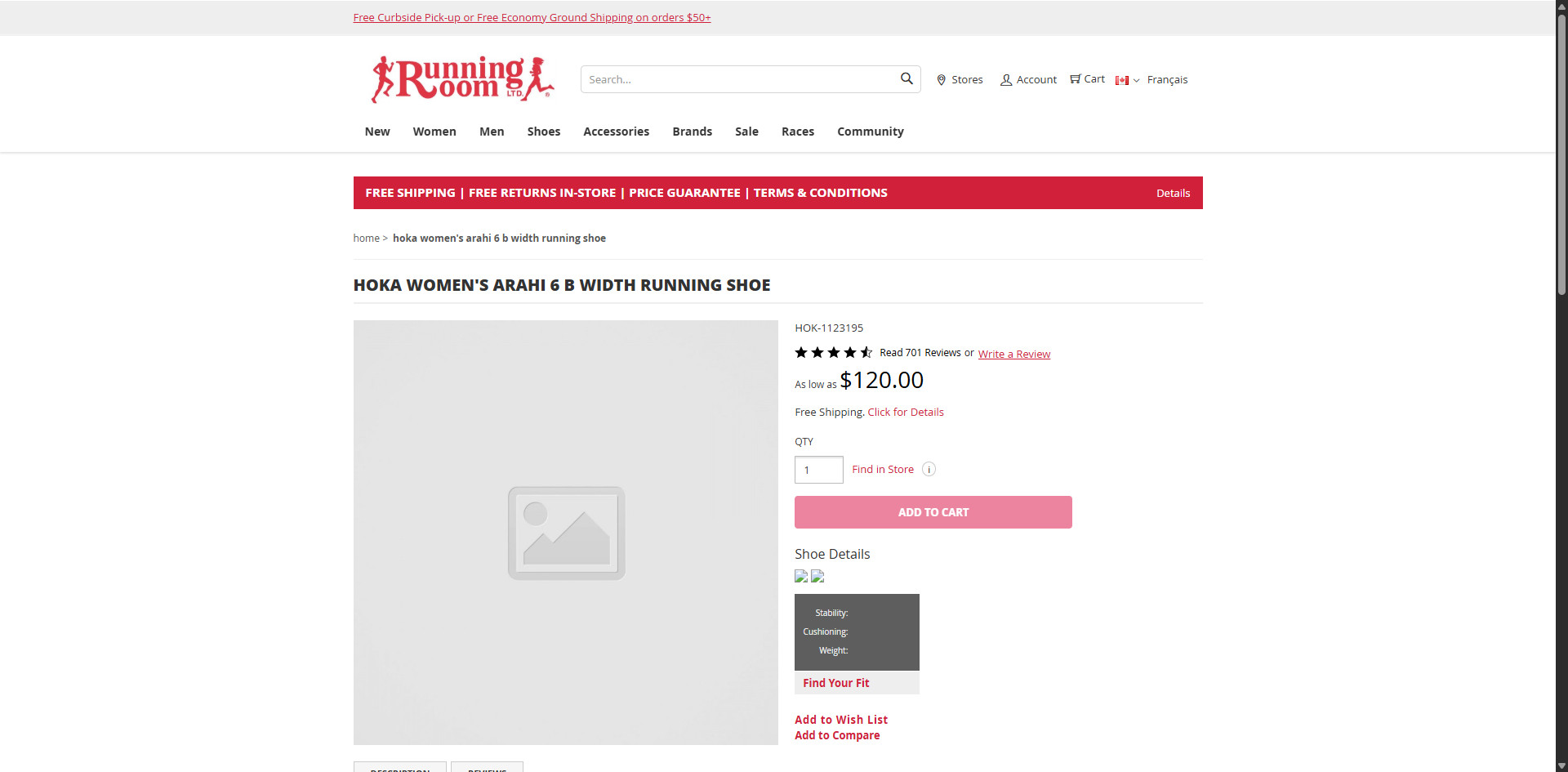
Old Design
LEGACY LAYOUT [place homepage old here]
New Design
OPTIMIZED LAYOUT [place homepage new here]
1. Visual Hierarchy

Improved layout architecture for faster and more natural category discovery.

2. Enhanced Scanability

Larger, high-contrast typography scaling increased content scanability significantly.

3. Engaging Promotions

Redesigned and strategically placed promo banners to improve user engagement.

4. Modern UI Styling

Applied current e-commerce design aesthetics, clean borders, and soft shadows.

Strategic Execution

Design Strategy

Adopting structured layouts and bento modules to showcase content priority, performance efficiency, and storefront scalability.

Mobile-First UX Architecture

Designed optimized tap targets, sticky checkout components, and simplified navigation frameworks tailored to thumb interaction zones for seamless mobile conversions.

Conversion-Focused Design

Maximized visibility of call-to-actions, improved clarity of purchase controls, and removed visual clutter to keep the shopper's focus strictly on the catalog items.

Modern UI System

Structured sleek components featuring soft border-radius tokens, high-contrast typography ratios, and a premium visual language that feels fresh and current.

Scalable Commerce Foundation

Developed a modular theme codebase utilizing reusable layout blocks and lightweight CSS parameters, allowing simple styling additions without introducing bloated files.

Component Breakdown

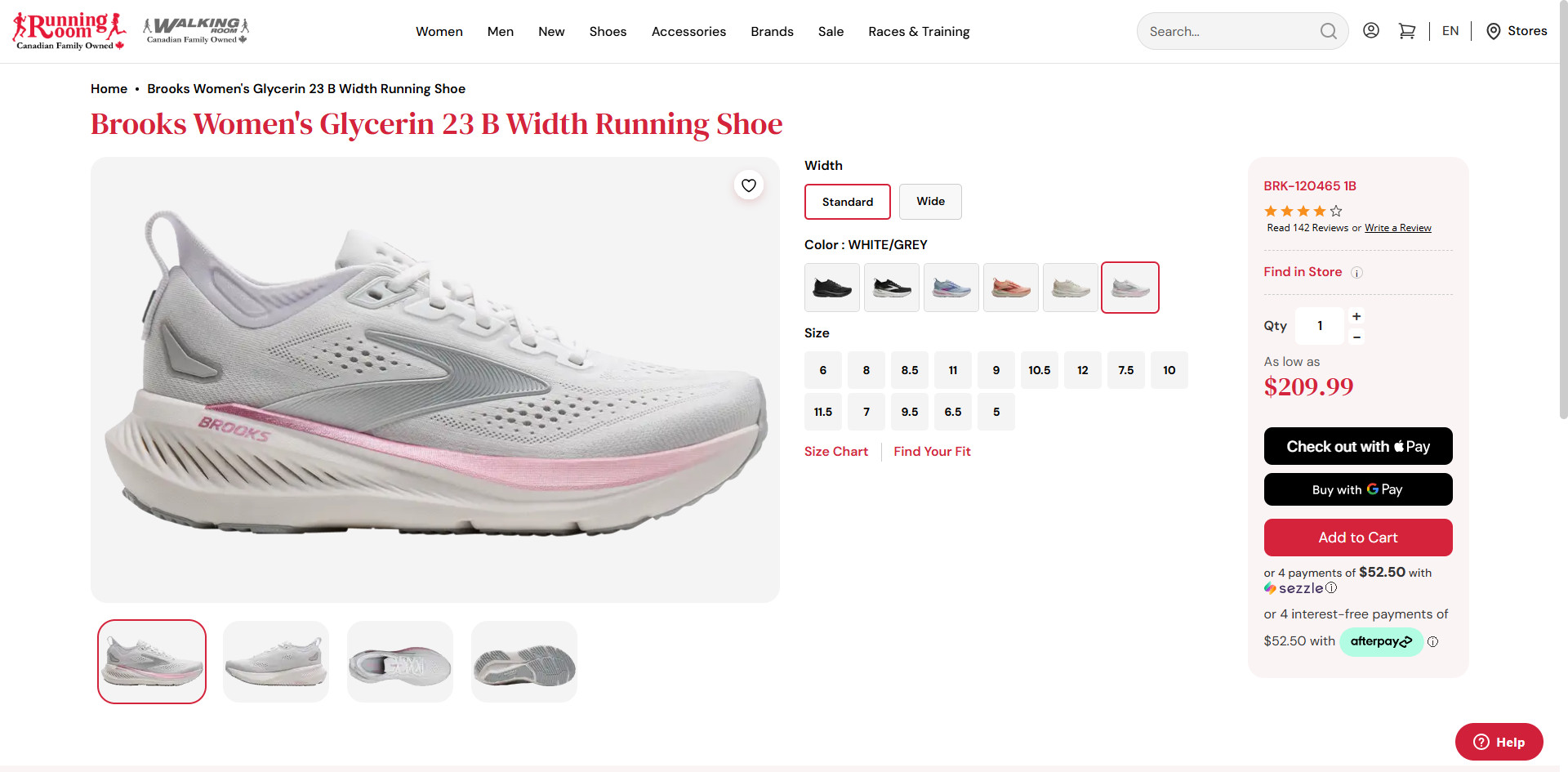
Product Detail Page

OPTIMIZED PRODUCT PAGE SCREENSHOT [place detail page new here]
Decision 01

Product-First Layout

Enlarged the main media canvas area, improving item visibility so users can evaluate materials, fit details, and colors instantly.

Decision 02

Purchase Optimization

Separated product specification metrics from the core add-to-cart controls, simplifying the path to checkout.

Decision 03

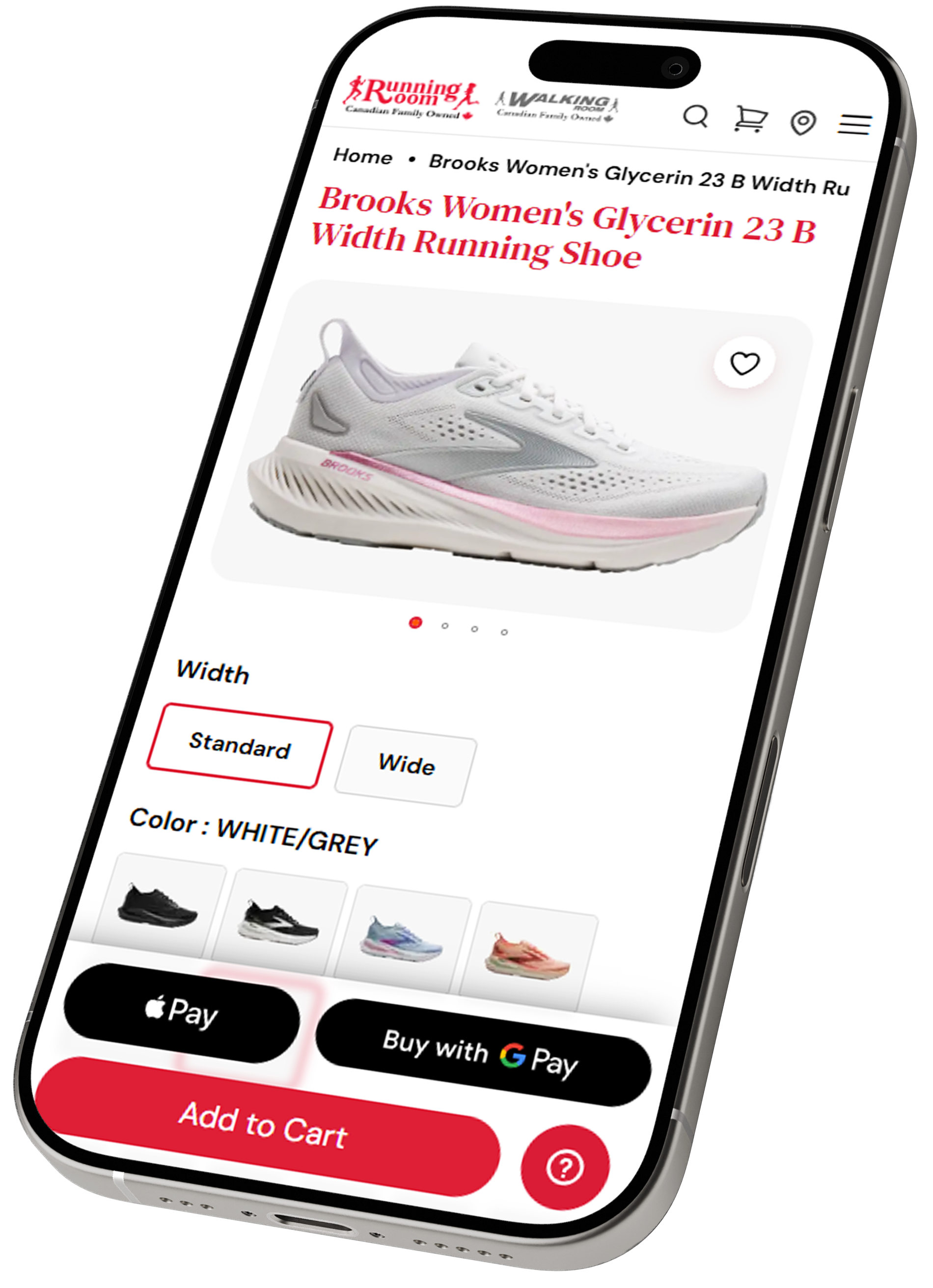
Mobile Sticky CTA

Implemented a persistent buy button docked to the bottom viewport on mobile, enabling immediate actions from any scroll point.

Mobile Conversion

Mobile Flow

Customizing storefront components specifically for fast loading, swift screen touches, and simplified checkout paths on smaller screens.

Sticky Add To Cart

Persistent action panel docked at the bottom view, optimizing mobile checkout paths.

Thumb-Friendly Navigation

Sized all interactive filters and navigation toggles to match natural touch limits.

Faster Variant Selection

Clean size and color swatch grids replaced rigid, clunky selector dropdowns.

Reduced Scroll Friction

Collapsible informational blocks kept catalog item pages clean and readable.

MOBILE SCREEN [place detail page mobile here]
The Lifecycle

Design Process

From analyzing performance bottlenecks to structuring code-compliant assets, the strategy followed a systematic route.

01

Research

Analyzed customer navigation flows and checkout drop-off coordinates in logs.

02

UX Audit

Identified interaction barriers, bad targets, and high layout shift elements.

03

Wireframes

Built layout structures prioritizing content hierarchy and mobile accessibility patterns.

04

High-Fidelity UI

Created pixel-perfect views aligning modern dark elements with brand red guidelines.

05

Frontend Dev

Translated styles to clean, modular components conforming to HTML5/CSS standards.

06

Iteration

Tested layout loading times, refining styling assets for optimal storefront speed.

Consistency At Scale

Design System

A preview of modular building blocks engineered for consistent brand identity and layout scalability.

CONSISTENT HIERARCHY • SCALABLE COMPONENTS • UNIFIED VISUAL SYSTEM
Buttons
Interactive States
Color Guide
Brand Palette
Form Fields
Active Focus Specs
Badges & Pills
In Stock Running
Status Pills
Project Outcomes

Results & Value

Key performance areas impacted by implementing a unified UI styling library and mobile-first navigation.

Optimized Mobile Flow

Redesigned shopping screens and custom touch zones significantly minimized checkout interaction friction for mobile users.

Modern Brand Perception

Transformed the legacy interface layout into a clean, visually cohesive storefront matching modern e-commerce standards.

Long-Term Trust

Successfully delivered multiple iterative redesign blueprints approved and built into production storefronts.

Conclusion

Final Reflection

"Designing for ecommerce is not only about aesthetics. It’s about reducing friction, improving decision-making, and helping users move confidently through the shopping journey."

This project focused on balancing modern UI trends with practical UX strategy to create a scalable and conversion-focused retail experience. By prioritizing touch ergonomics, speed optimization, and modular UI patterns, the storefront was positioned for sustainable growth.